User Growth Experience for High-Intent Free Users
AI B2C AI Multi-Agent Product

Background
Atoms is an AI product-building platform that helps users turn ideas into launch-ready products, validate concepts quickly, and move from creation to customer-facing output without coding.
My Role
Product Designer (User Growth), Product Analysis, A/B Testing, UI Design
Scope
In this project, I repositioned the work from “design a discount modal” to “design a coherent monetization journey” so the limited-time discount strategy could feel trustworthy, timely, and reusable across the product.
Tools
Figma, Codex, Cursor, Posthog
Impact
It turned a rough discount tactic into a more scalable conversion system, helping Atoms raise discount conversion from 4.17% to 6.03% while creating a clearer path from first product value to payment and aligning business urgency with a more premium product experience.
Timeline
2026.03 - 2026.04
The Problem
Atoms users reach the path from that first value to payment was still too weak, too delayed, and too easy to abandon.
By the time users reached pricing, the emotional momentum from first success had often faded, so intent was lost before payment.

Why this matter?
The historical signals already had evidence that discounts could improve conversion, but the experience was fragmented and visually rough.
The chart alone shows that discount-related mechanics had traction before, but it does not explain the full product problem by itself.
The deeper issue was that Atoms users could already reach a meaningful success moment, but the path to payment was still too weak.
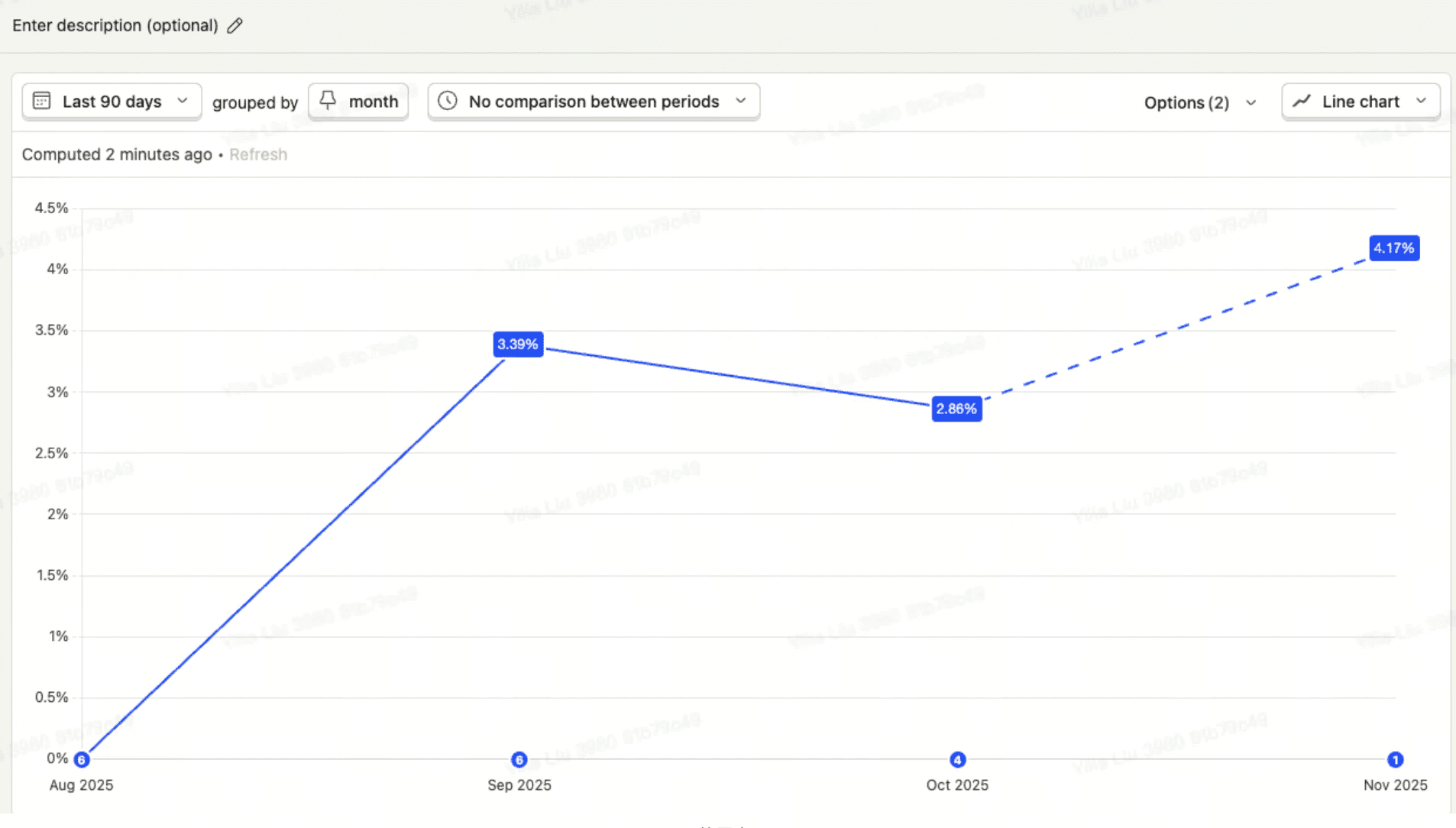
DR Rate from 08.2025 - 12.2025
My Contribution
Step 01
Keep urgency visible inside the workflow
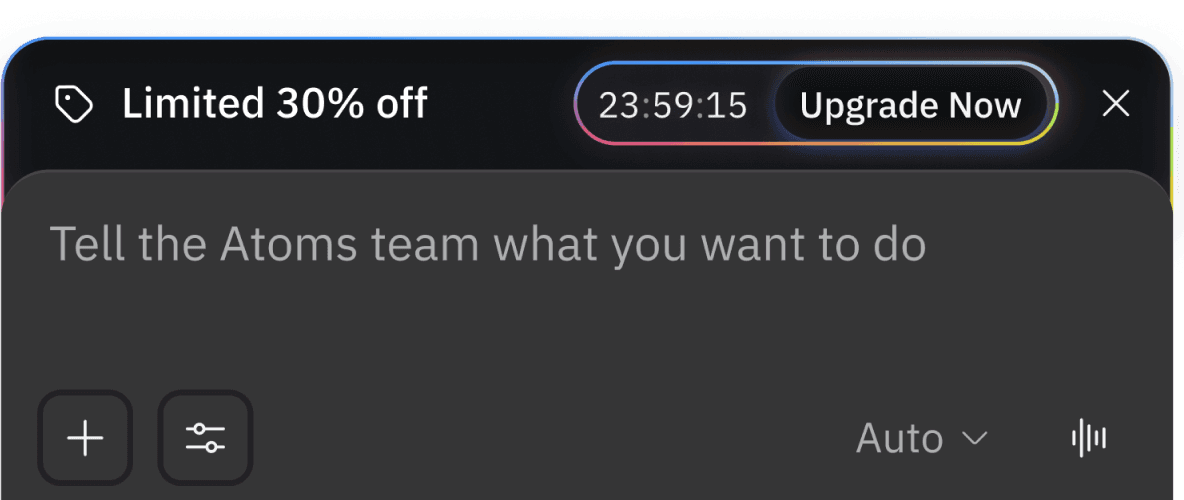
After the first interruption, the message becomes lighter weight. A countdown banner inside chat preserves urgency without forcing users to decide immediately.
This turned the offer into a background memory aid rather than a repeated hard stop, which was especially important for maintaining product flow.

Step 02
Trigger the offer at the first success moment
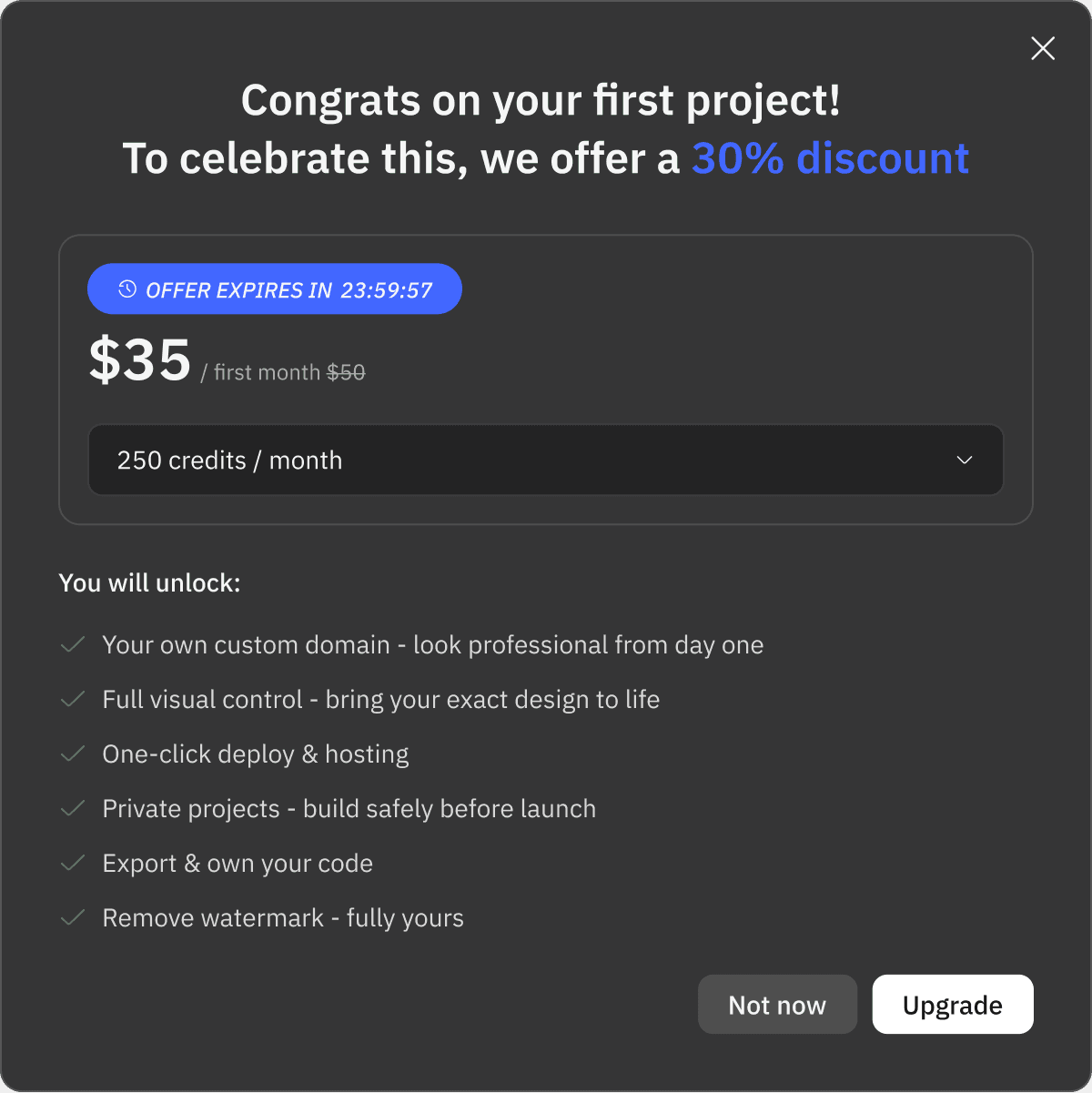
I framed the modal as a celebration first and a pricing push second. That subtle hierarchy helped the experience feel more like momentum and less like an ad.

Step 03
Carry the same story into pricing surfaces
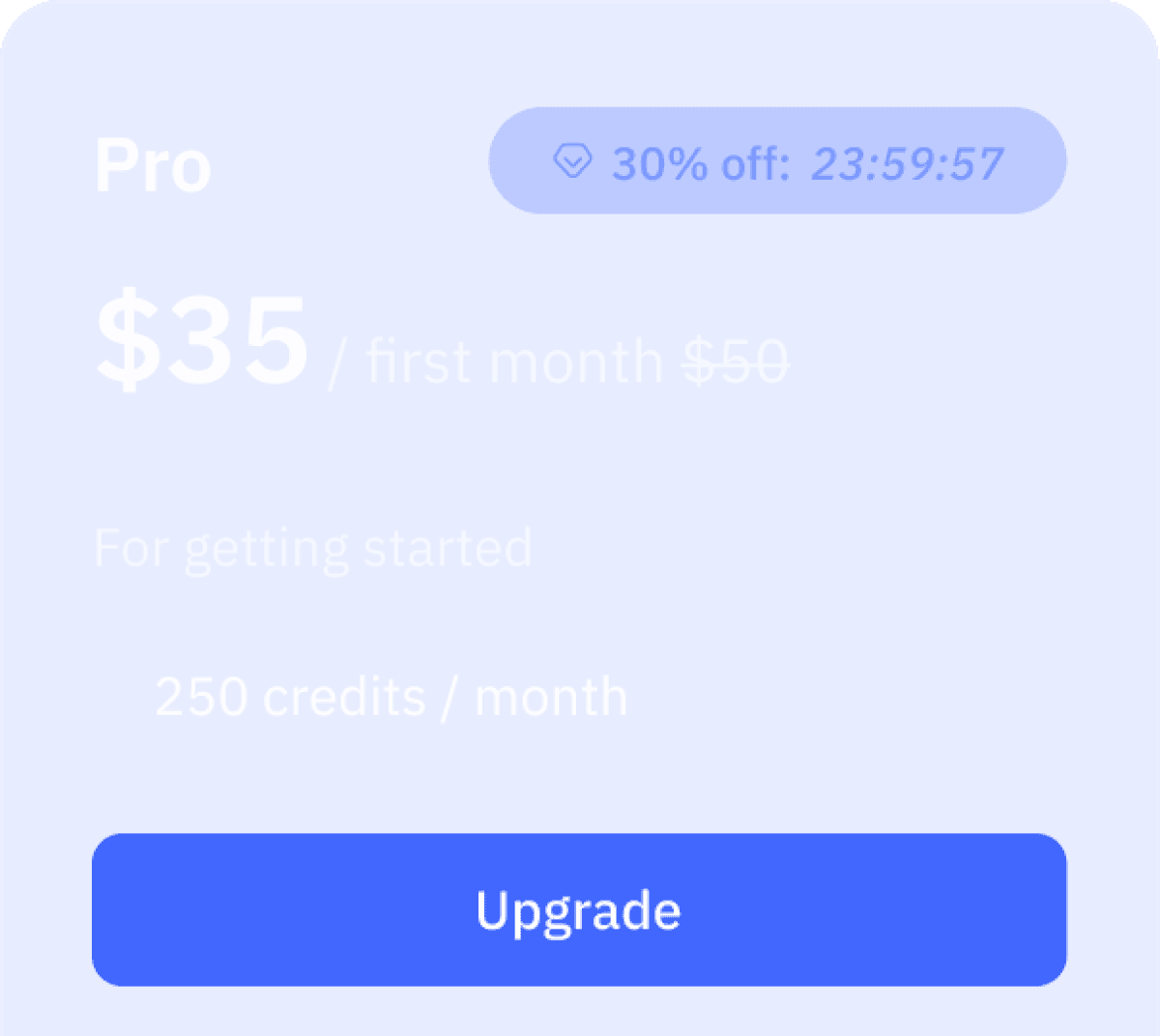
Pricing and top-level navigation surfaces reuse the same offer language and time cues so users do not lose context when moving toward payment.
This continuity closes the gap between intent and conversion. Instead of starting over on the pricing page, the user sees the same proposition carried forward.

Design Process
One of the most important design decisions was turning the promotion into a modular UI system, it meant defining component behavior, responsive rules, copy variations, and a consistent urgency language that adapt across surfaces without feeling noisy.
content system
Message hierarchy
I separated the experience into celebration, offer, and capability unlocks. This kept the modal from reading like an ad and instead framed it as a next step in the product journey.
component spec
The real leverage came from linking modal, chat, banner, and pricing surfaces into one coherent conversion story.
system thinking
Lower Interruption, high recall
The real leverage came from linking modal, chat, banner, and pricing surfaces into one coherent conversion story.
Internally, our team have different opinions on the visual language. Without immediate experiment data, I had to turn a subjective design debate into a structured decision process by designing 5 options matrix of pros and cons.
Decision Making in Ambiguity
I organized a focused design critique meeting with PM, UI designer. the Data Engineer, and the stakeholder, then used a slient-reading format plus a pros-and-cons matrix to guide the discussion. This cut decision time by roughly 50% and replaced taste-based disagreement with a shared evaluation framework, and finally chose option 4 to move forward the progress.
Option 1
Too COMPAIGN-LIKE
Gradient Campaign Energy
This direction pushed the strongest visual event signal. The gradient did the job of shouting “limited-time” immediately, but it also made the experience feel closer to a campaign landing page than a premium in-product moment.
Pros
Creates the clearest “special event” feeling at first glance.
Pulls attention well in compressed surfaces like banner and timer chip.
Cons
Feels more like promotional campaign art than a core product experience.
Risks making the AI brand feel cheaper or more sales-led than intended.


Option 2
Too safe
Brand-Default Blue
This version stayed closest to the existing Atoms palette. It felt safer, cleaner, and more system-ready, but it also softened the sense of urgency so much that the discount sometimes read like a regular upgrade prompt.
Pros
Feels calm, credible, and easier to extend across additional surfaces.
Lower engineering and design-maintenance risk over time.
Cons
Limited-time pressure is weaker and less differentiated from normal upsell UI.
The visual hierarchy relies on copy more than on memorable event cues.



Option 3
Too distracting
Non-Brand Focused Gradient Accent
This direction kept the main surfaces grounded in the product brand, then applied stronger color only where urgency needed to peak. It produced the most balanced system story, though it required the most restraint to avoid drifting back into a campaign look.
Pros
Balances conversion with brand trust better than the other options.
Accent color is strategically, so high-urgency moments feel intentional.
Cons
Needs tight visual governance or the gradient can spread too far.
Slightly more nuanced to explain in review than a fully safe or fully loud direction.



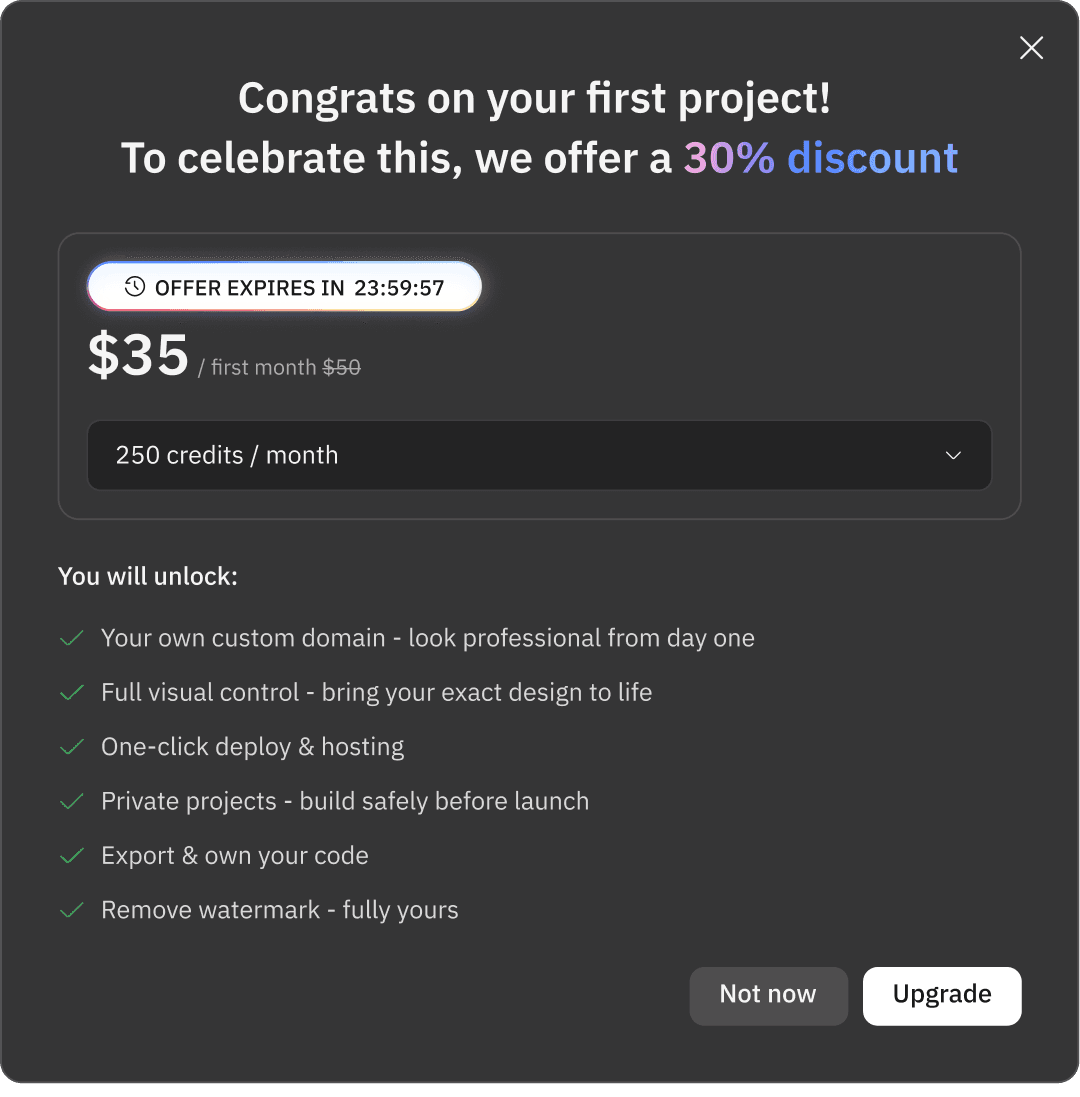
Option 4
growth-engineered
High-Response Growth Design
By pairing celebratory milestones with high-contrast UI components, it transforms the "Aha moment" of a first project into a seamless conversion opportunity. The aesthetic balances a cutting-edge AI-native feel with a clear, urgency-driven information hierarchy that guides the user's eye exactly where it needs to go.
Pros
High-Velocity Conversion minimizes cognitive friction
Maximize click-through rates during critical decision moments.
Cons
Balancing several high-urgency elements demands precise spacing to ensure the interface remains "premium" rather than "cluttered".


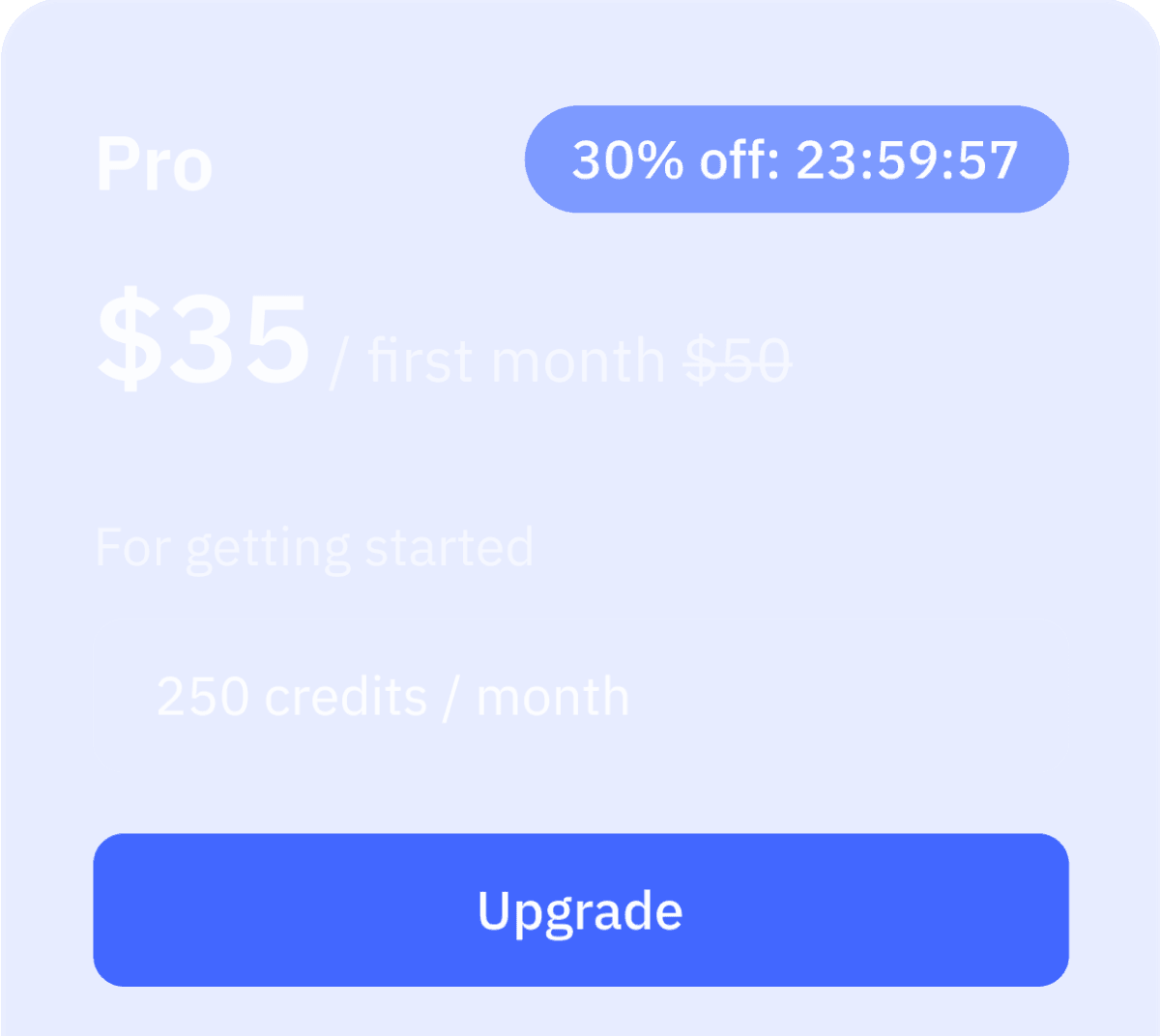

Option 5
Too general
Brand-Focused Design Accent
This direction kept the main surfaces grounded in the product brand, then applied stronger color only where urgency needed to peak. It produced the most balanced system story, though it required the most restraint to avoid drifting back into a campaign look.
Pros
Strategic Urgency: it creates a "biological" trigger for the eye, ensuring that never missed without cluttering the main workspace.
Cons
Visual Governance: The intensity of the blue requires strict restraint;
Visual Governance.


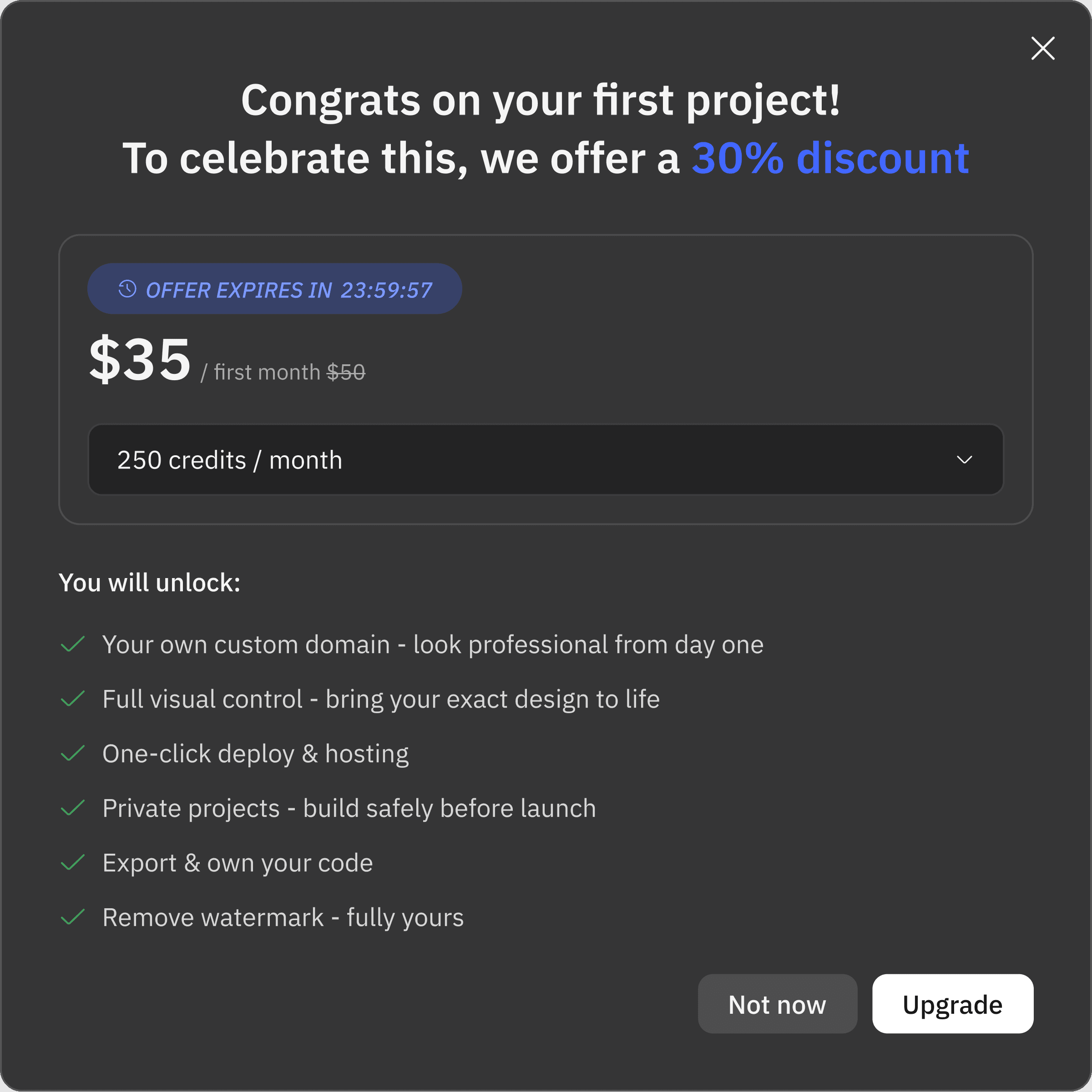
Design System
During my design phase, I created typographic variables in the Atoms Design System, which leverages the current version into system design. By leveraging the light and dark mode, I gained the flexibility to globally font size, colors. and line height effortlessly. This approach is much more efficient than using predefined styles, as it enables quick iterations and ensures uniform updates across the entire system.


Takeaways
I shaped this project into a case study that shows senior-level design thinking: knowing when to ship, when to formalize a component system, and how to create clarity for a cross-functional team when the data does not answer every question.
a/b testing
Why not run an A/B test immediately?
At that stage, the primary risk was not the exact color treatment. It was whether the end-to-end monetization path could be shipped coherently and fast enough to support the business. I prioritized operationalizing the validated discount logic first, then positioned color-level A/B testing as a later iteration for targeted markets.
decision making
How did I influence the decision?
I reframed a visual disagreement into a weighted evaluation problem. By comparing multiple directions against conversion pressure, brand impact, and build effort, I created a neutral structure that helped the team decide faster and with more confidence.
team collaboration
How did I collaborate across functions?
I involved PM, design, founder, data, and SEO in the same critique loop. The silent-reading format gave stakeholders space to understand the logic before reacting, which improved the quality of feedback and reduced aesthetic noise.